
Building a Professional 4K Video Editing Workstation: A Component-Driven Approach
Upgrading a editing PC requires a different calculus than building for gaming. This build log details the assembly of a system centered around the Intel Core Ultra 9 285K (Arrow Lake), explaining the technical reasoning behind each choice, particularly for Adobe Premiere Pro workflows.
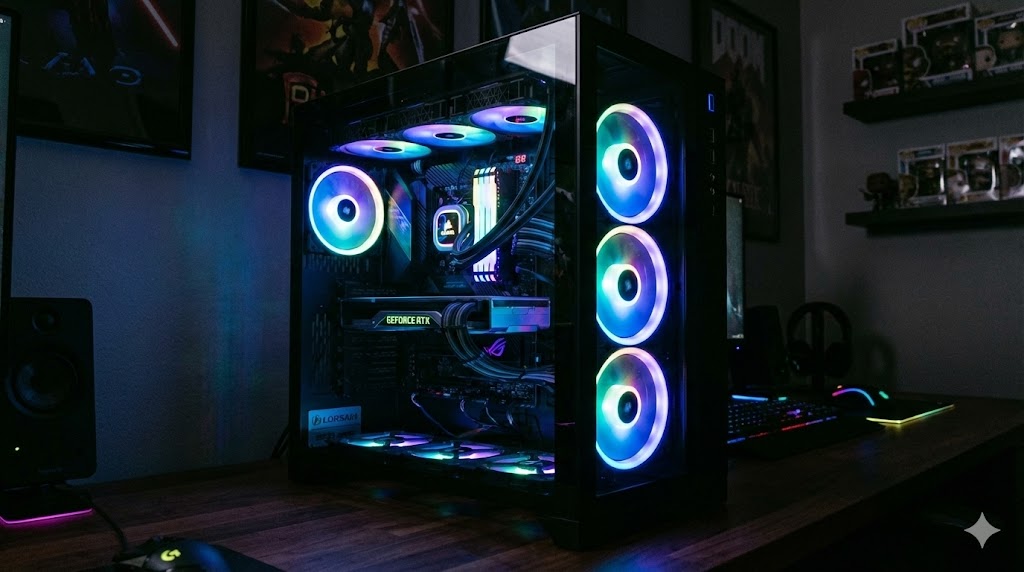
Core Philosophy: Prioritizing Encoding Performance and Workflow Stability
The CPU Decision: Intel's Quick Sync is a Game-Changer
For Adobe Premiere Pro, Intel CPUs with integrated graphics offer Quick Sync, a dedicated hardware encoder/decoder for H.264/HEVC codecs. This offloads processing from the CPU and GPU, leading to significantly faster timeline playback, scrubbing, and final export times compared to AMD's software-based encoding.
GPU Selection: VRAM Over Raw Clock Speed
An NVIDIA RTX 5060 Ti with 16GB VRAM was chosen over potentially faster gaming GPUs with less memory. High-resolution footage, multiple layers, and effects like noise reduction demand substantial video memory to maintain smooth previews without proxy files.
Silence and Expandability
The be quiet! Silent Base 802 case prioritizes acoustic dampening for a focused editing environment. A 900W PSU provides ample headroom for multiple storage drives and future component upgrades.

Component Comparison Table: Editing PC vs. Alternatives
A technical comparison illustrating the performance trade-offs for video editing versus other use cases.
| Component | This Build (Intel-Optimized) | AMD Alternative Build | Typical Gaming Build | Key Rationale for Editing |
|---|---|---|---|---|
| CPU | Intel Core Ultra 9 285K | AMD Ryzen 9 9950X | Intel Core i7 / Ryzen 7 | Quick Sync hardware encoding can accelerate Premiere Pro renders by >30% for H.264/HEVC. |
| GPU | NVIDIA RTX 5060 Ti 16GB | RTX 4070 SUPER 12GB | RTX 4060 Ti 8GB | 16GB VRAM is critical for 4K+/6K footage, complex comps, and AI effects without bottlenecking. |
| RAM | 128GB DDR5-5600 (4x32GB) | 64GB DDR5-6000 (2x32GB) | 32GB DDR5-6000 (2x16GB) | Premiere benefits from 64GB+ for smooth multi-cam 4K editing and After Effects dynamic link. |
| Primary SSD | 2TB PCIe 5.0 (FireCuda 540) | 2TB PCIe 4.0 (980 PRO) | 1TB PCIe 4.0 | Fast read/write speeds reduce project/open file latency. PCIe 5.0 future-proofs the storage bottleneck. |
| PSU | 900W 80+ Silver | 850W 80+ Gold | 750W 80+ Bronze | High-wattage allows for 7+ HDD/SSD installation and stable power delivery under sustained load. |
Takeaway: Budget allocation should shift from pure gaming FPS to encode acceleration, high-capacity VRAM, large RAM kits, and fast storage.

Critical Assembly Takeaways and Workflow Notes
Essential Build Tips:
- Test Before Final Assembly: Connect the CPU, RAM, and GPU to the motherboard outside the case using the PSU for a "breadboard" test. This isolates DOA components early.
- Case Size Matters: A Full-Tower case is recommended for ATX boards, large GPUs, and extensive storage arrays. Adequate airflow and cable management are non-negotiable.
- Software-Specific Optimization: This build is highly optimized for Adobe Premiere Pro. DaVinci Resolve, for example, leverages GPU performance more heavily, which might shift the ideal component balance.
Performance Verdict:
Timeline playback of 4K 60fps footage is now stutter-free, and export times have decreased noticeably. The tangible benefit of Intel's Quick Sync in a professional video editing context is undeniable.
This build serves as a framework. Tailor your component choices to your specific editing software, codec requirements, and resolution targets.